
Add iPhone Photos From the Same Place to an Existing Album
GeoAlbum finds iPhone photos from repeated visits to a shop, workshop, or other location. Save an area and an existing Apple Photos album as a rule, then review and add the photos you choose. The originals stay in your library.
Ryo Morishita (app developer) · Published
Screenshots illustrate the steps. Check the App Store for current availability and pricing.
Organize product photos after two visits to a shop
Suppose you photograph new products at the same shop each week and keep them in one Apple Photos album.
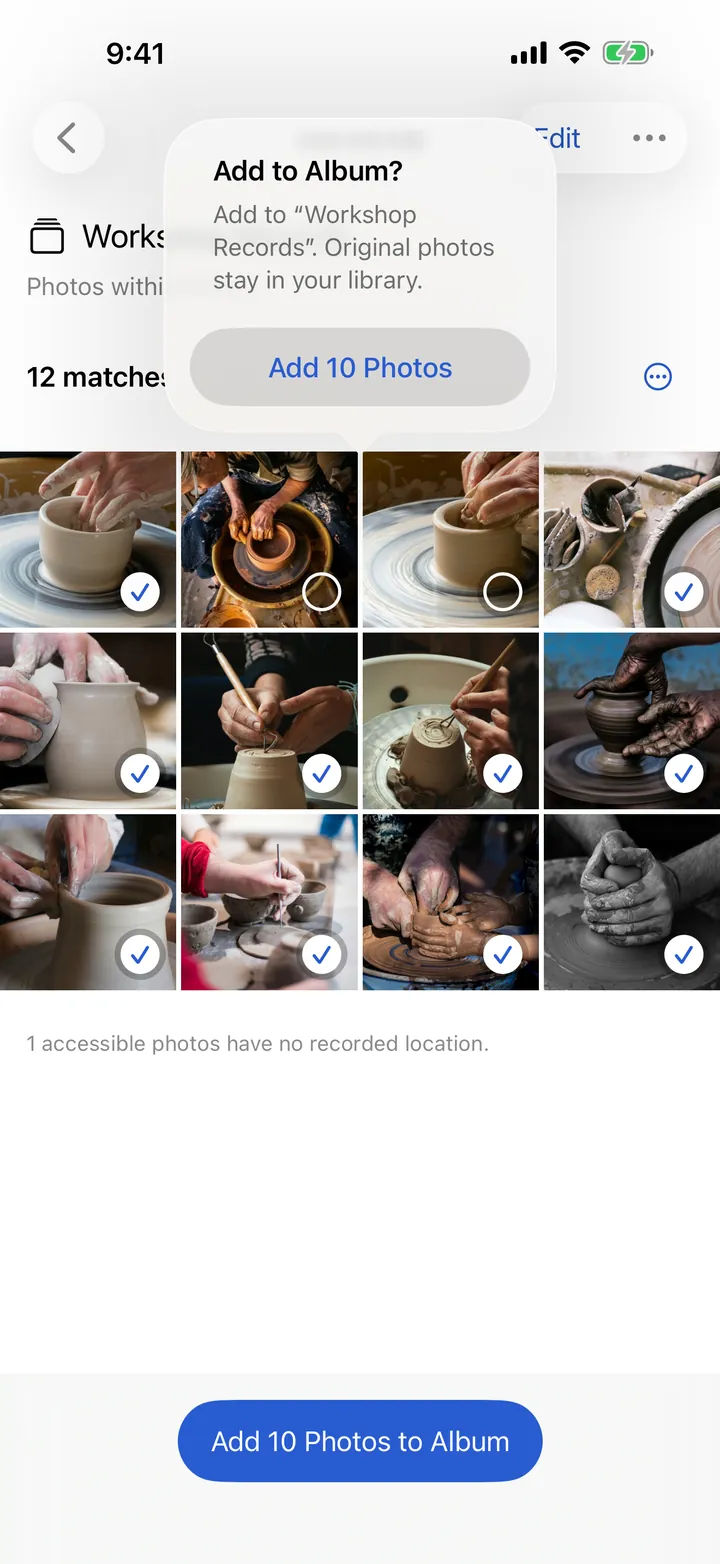
- First visit Save the shop's location, radius, and destination album. Find the matches and add the three product photos you select.
- Second visit Run the same rule. GeoAlbum skips the three photos already in that album. Review the two new matches and add them to collect all five photos in the same album.
Before you start
Use the map in Apple Photos to find photos from a one-off visit. A saved GeoAlbum rule is useful when you return to the same place and want to reuse the same destination album.
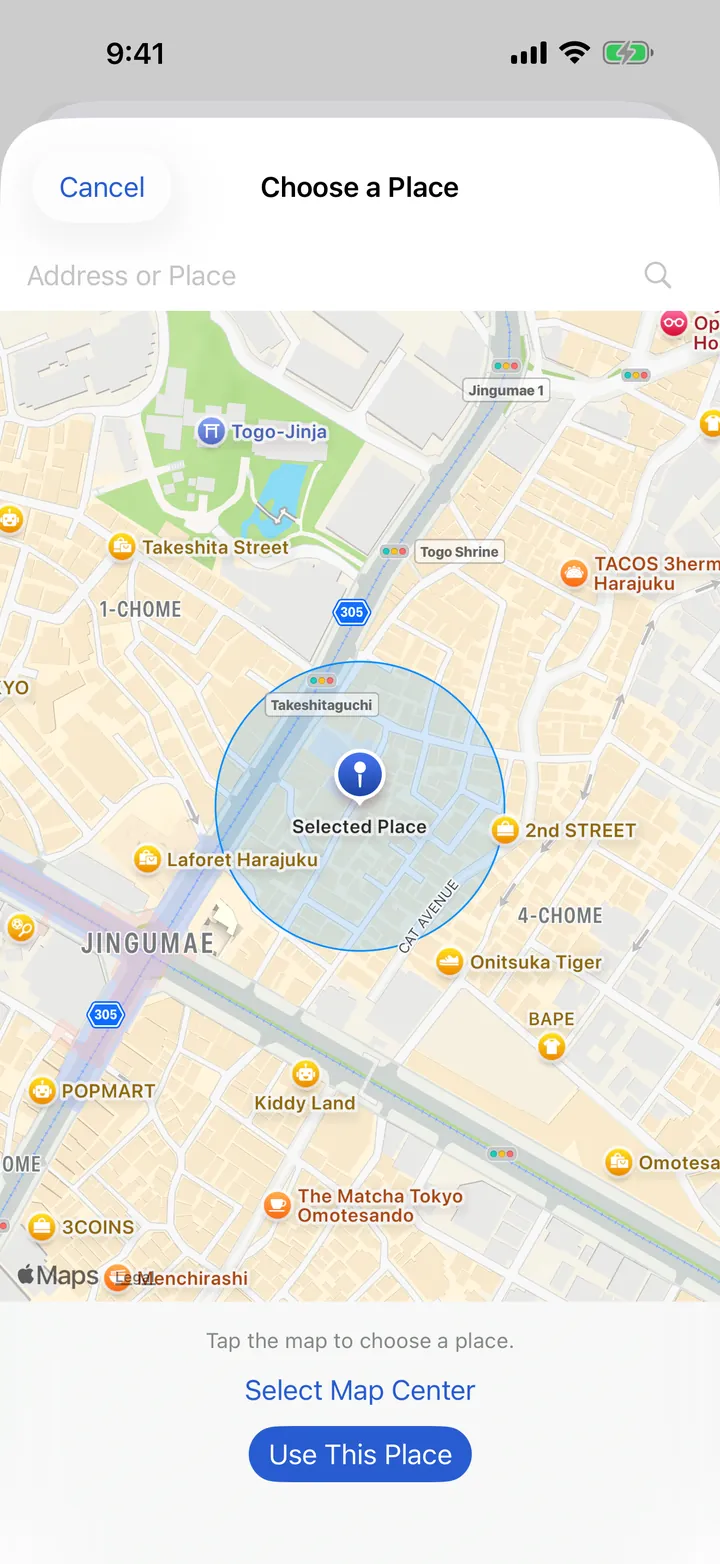
1. Save a location and radius
Choose a place from a map, search for it, or use a photo with location information. Set a radius that covers the area you photographed.
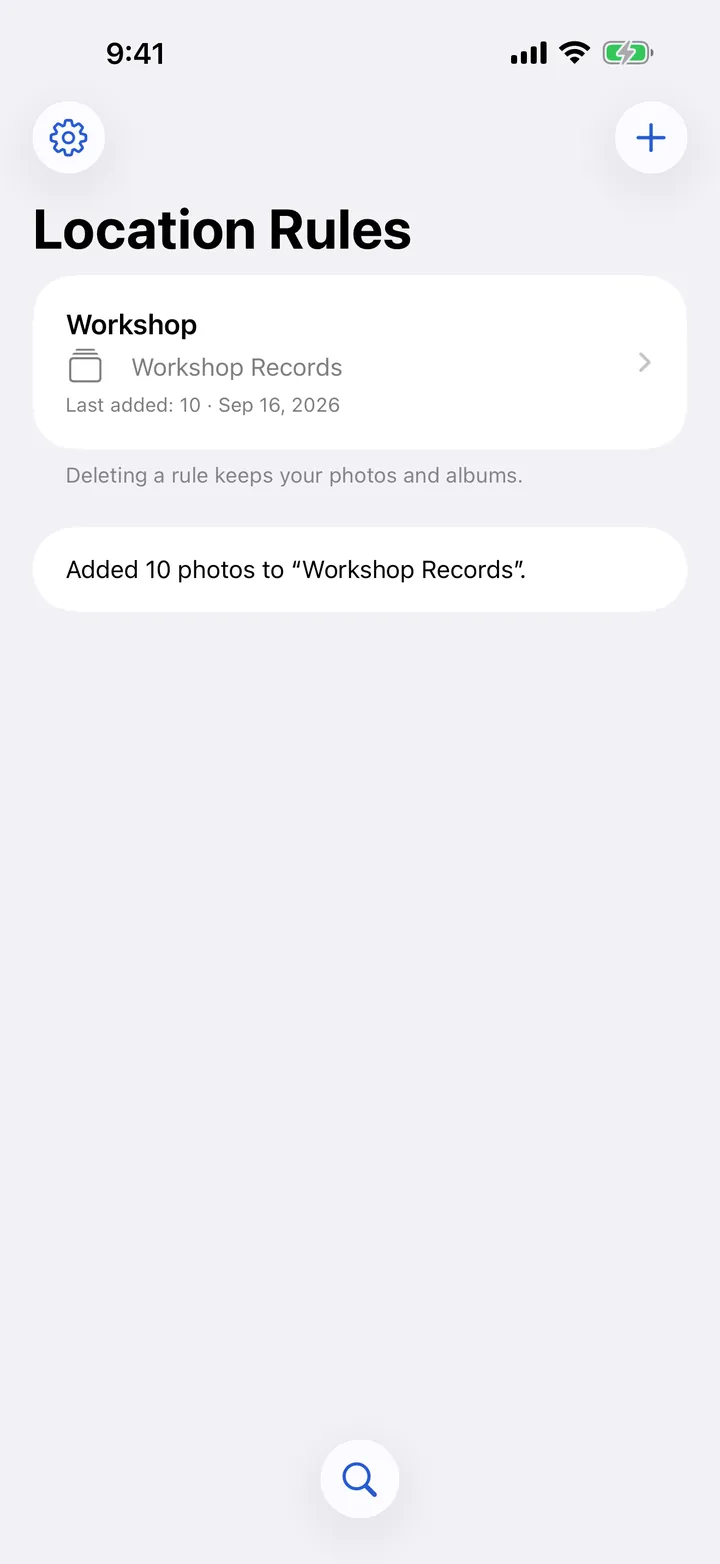
2. Choose the existing album
Select the destination from your Apple Photos albums. Run the rule when you want to look for matching photos.
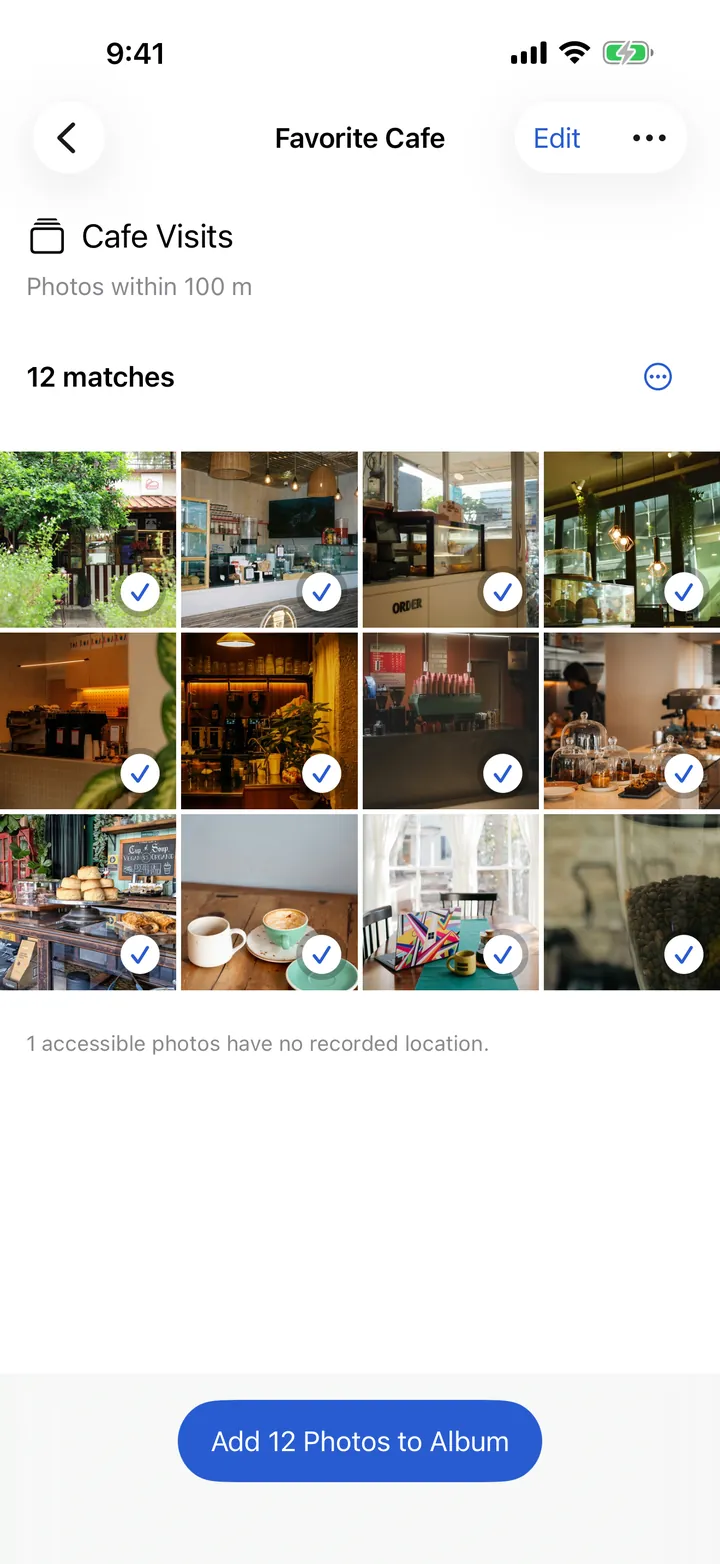
3. Review matches and add your selection
Check for photos taken nearby and leave out any you do not want. Tap Add to put the selected matches in the album.
What happens when you run the same location rule again?
In a developer test using sample photo records, the first scan offered 3 photos. The second scan checked 7 records and offered 2 new matches. It left out 3 photos already in the album, 1 without a recorded location, and 1 outside the radius. This test ran the matching logic with sample records. The screens show how to review the results in the app.
| Photo | Result of the location scan |
|---|---|
| Inside the radius and new to the album | Appears in review. Select it to add it to your existing album. |
| Inside the radius and already in the album | Counted as already added and left out of the list of new candidates. |
| No recorded location | Counted separately and left out of the place matches. |
| Outside the saved radius | Left out of the place matches. |
Limits and notes
Location matching requires photos with recorded coordinates and runs on the device. The rule runs when you use it. Your originals stay in the Apple Photos library.
What you can try for free
Start with one free location rule. Pro adds multiple rules and lets you scan them together.
Free with one location rule. GeoAlbum Pro is a one-time $6.99 purchase. Requires iOS 18.0 or later.
See features, pricing, and frequently asked questions · Privacy · Support