
Add a task, check it off
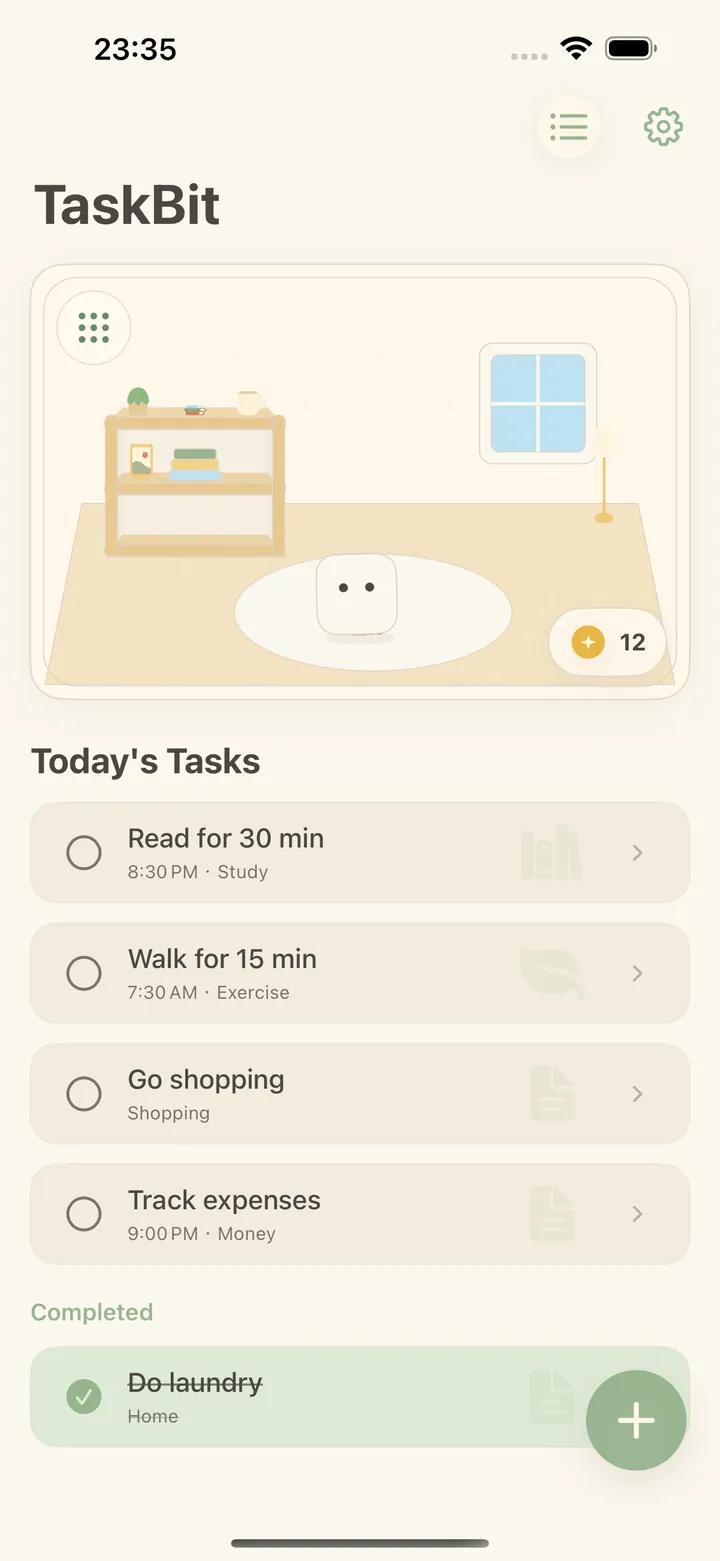
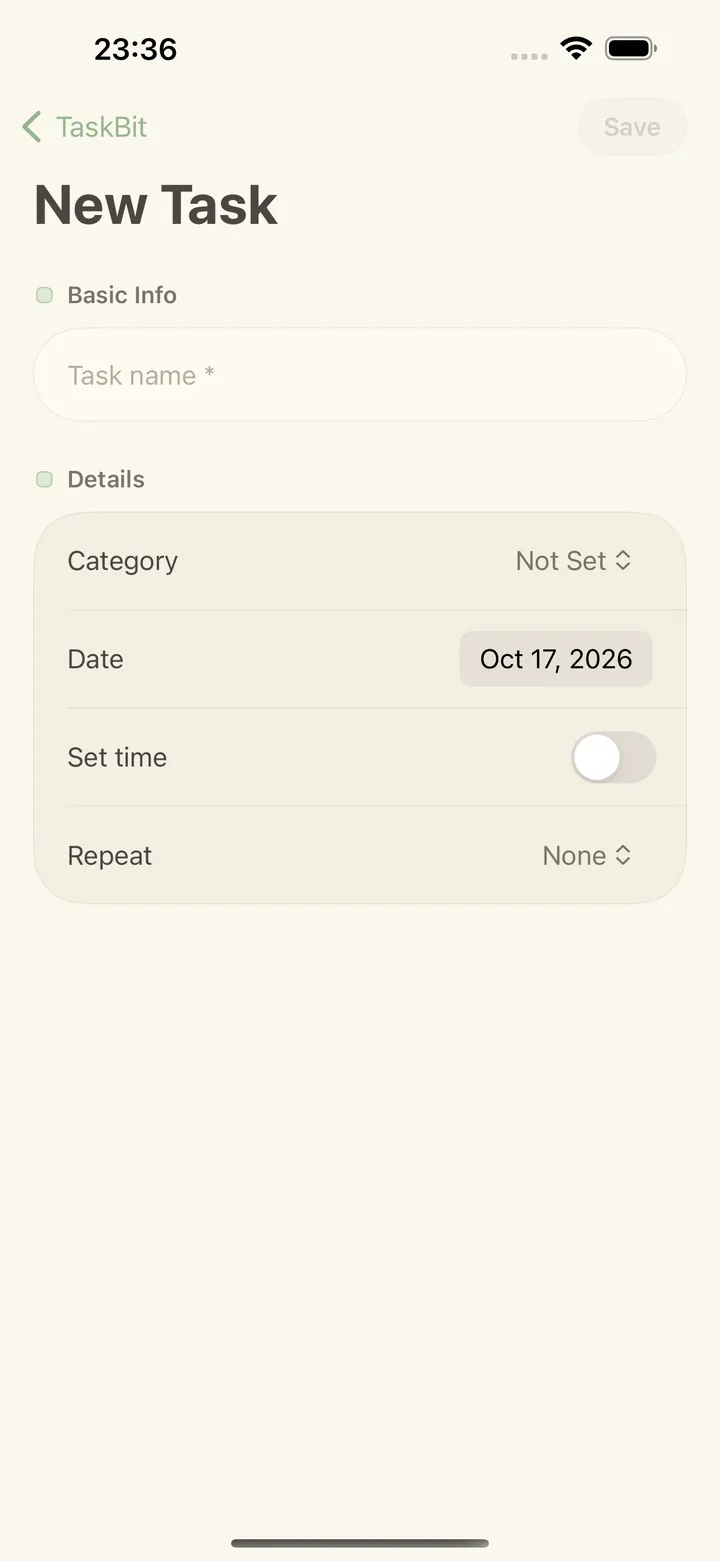
Type a title and a date, save, and check the task off when it's done. You can also set a category and a time.
The home screen shows the room above today's tasks, and finished tasks move into a Completed group.
TaskBit: Gamified To-Do List
TaskBit is an iPhone to-do list where every task you complete earns coins, and those coins add furniture to the room of your little companion, TaskBit. There are no streaks and nothing scolds you about missed days.
Free. Requires iOS 17.0 or later.
Earn Coins for Completing To-Dos and Furnish a Room on iPhone
Use TaskBit to earn coins for completing tasks and spend them on furniture and decorations for your companion's room.
TaskBit combines the basics of a to-do app (tasks, repeats, reminders and a calendar) with a room that grows as you complete tasks. It suits people who want to keep up with studying, reading, exercise or chores at their own pace by seeing small wins add up.
Type a title and a date, save, and check the task off when it's done. You can also set a category and a time.
The home screen shows the room above today's tasks, and finished tasks move into a Completed group.
Set repeats for things you do regularly, such as reading, studying, exercise or chores: every day, on chosen weekdays, on a day of the month, or at the end of the month. If you choose a date that a month doesn't have, such as the 31st, the task doesn't occur in that month.
Give a task a time and TaskBit sends a notification at that time. Allow notifications for TaskBit on your iPhone to use reminders; you can change this any time in Settings.
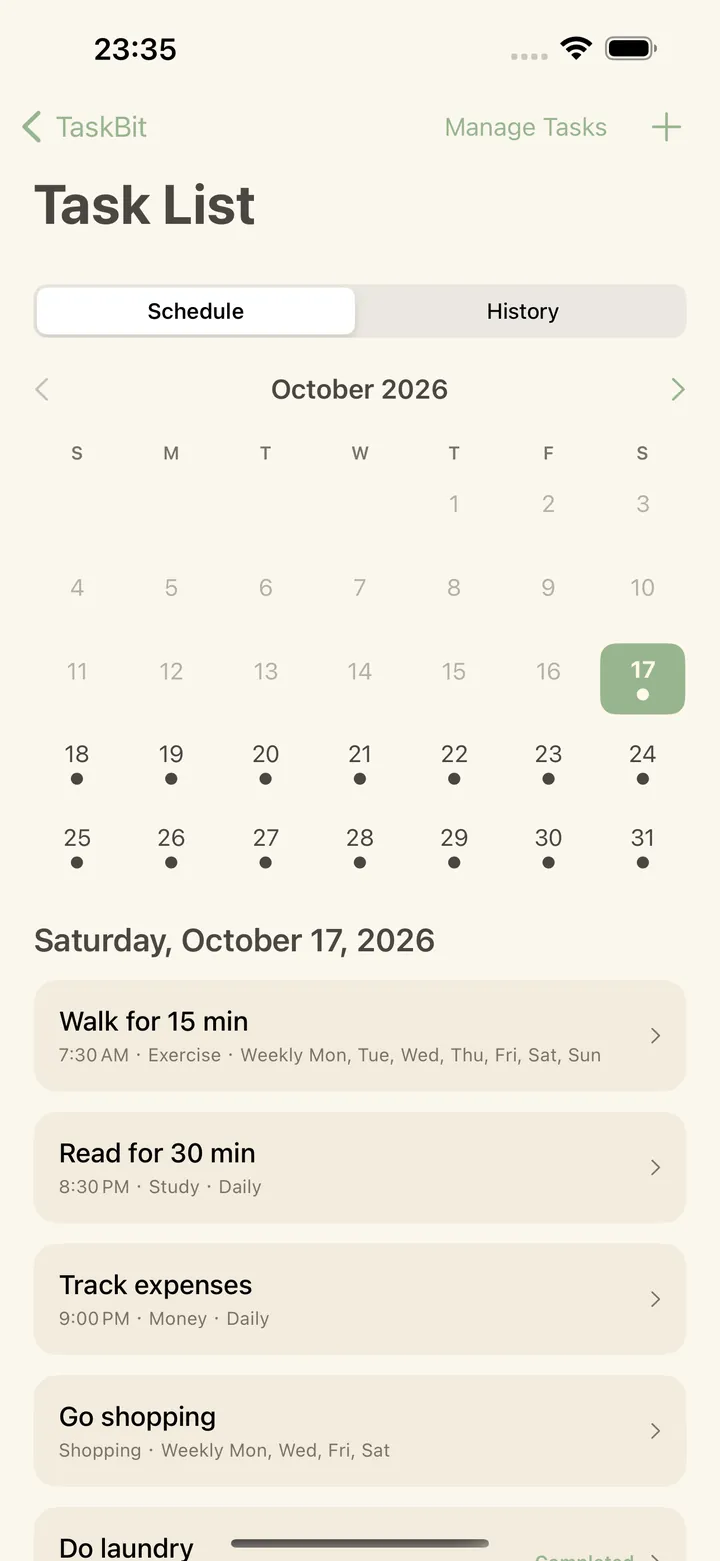
See upcoming plans and the tasks you've completed on a calendar. Since version 1.4.0 you can add a task again from your completion history: the title and category are prefilled, and nothing is saved until you review it and tap save.
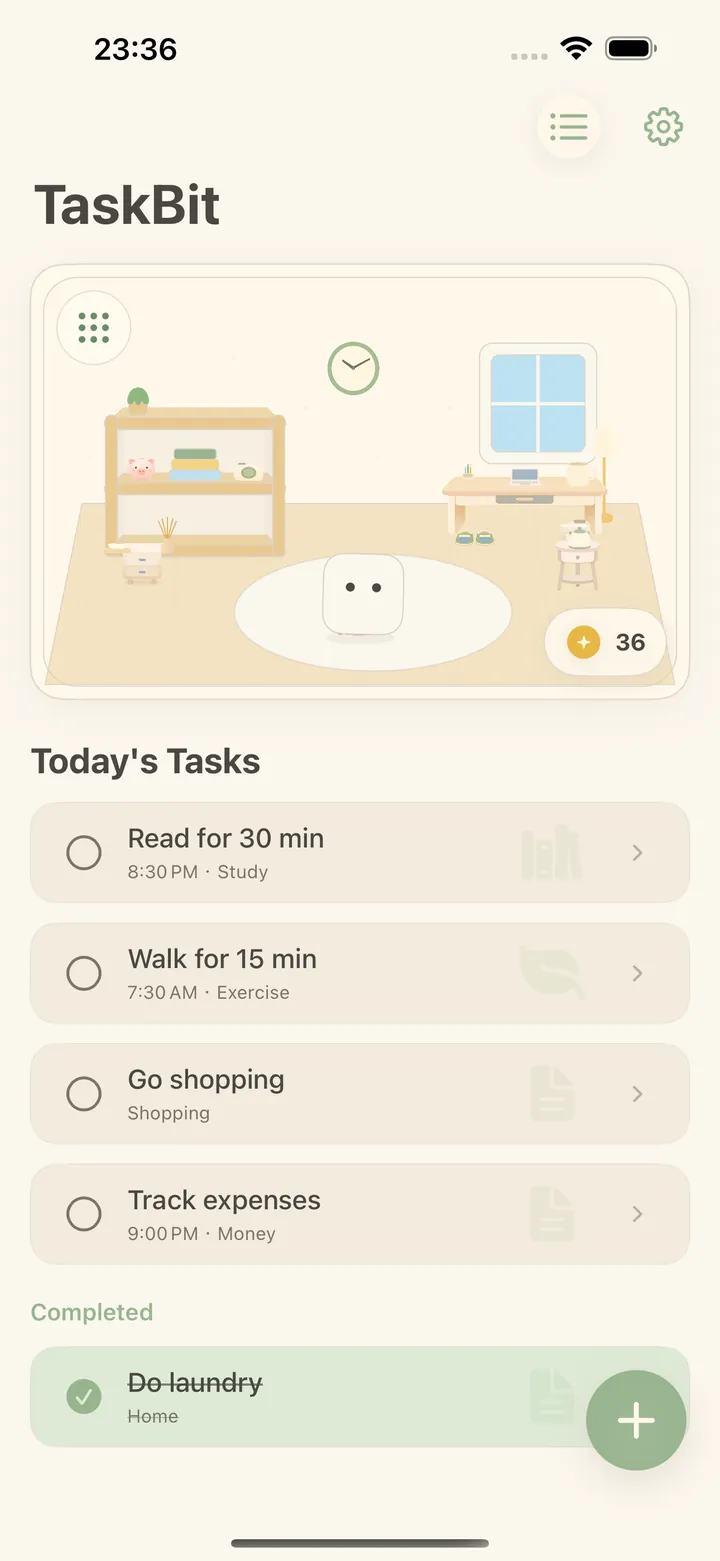
Completing tasks earns coins. Spend them on furniture and small items, and your companion's room changes little by little, so your everyday progress stays visible.
Your companion never gets hungry or needs care, and nothing goes wrong if you don't open the app for a while.
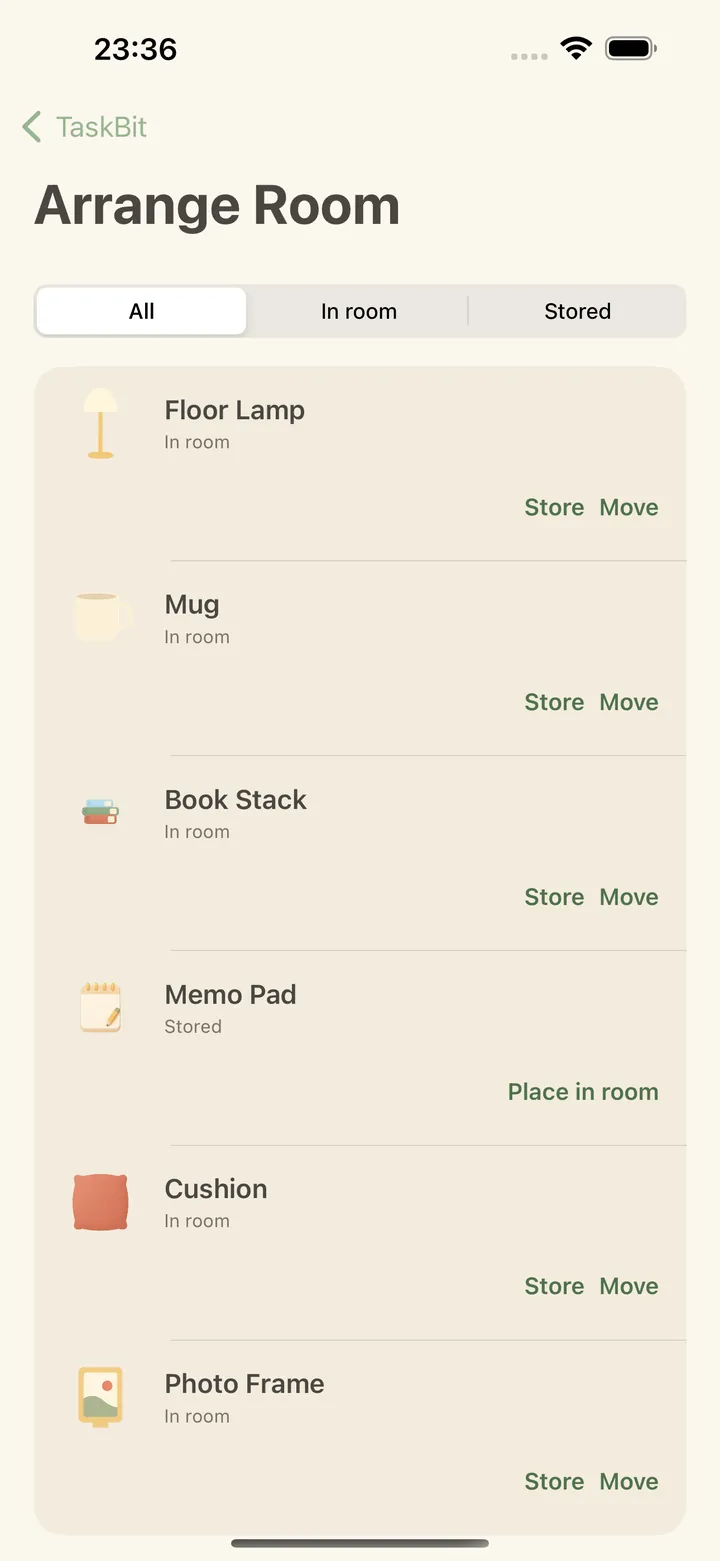
Put away furniture you've earned or move it to another spot it fits. Furniture isn't placed freely anywhere on screen; each item has its own set of available spots to choose from.
Enter a title and a date. Add a repeat for things you want to keep doing and a time for things you don't want to forget.
Completing a task earns coins. Missed a day? Nothing scolds you for it.
Use your coins to add furniture, then store or move it to make the room your own.
TaskBit is a to-do and task manager for iPhone. Completing tasks earns coins, which you use to add furniture to the room where a little companion lives. It isn't a virtual pet to look after; it's a way to enjoy small daily wins.
Yes. TaskBit is free with no in-app purchases (as of version 1.4.0). Check the App Store page for the latest details.
Yes. Tasks can repeat every day, on chosen weekdays, on a day of the month, or at month end. There are no streaks or penalties, so after a day off you simply carry on.
No. TaskBit shows no streaks and doesn't scold you for missed days, and the companion has no hunger or care needs.
Yes. Give a task a time and TaskBit sends a notification at that time. Allow notifications for TaskBit on your iPhone.
Yes. The calendar shows upcoming plans and completed tasks, and you can add a task again from your history.
Creating and completing tasks, the calendar and arranging the room work with data on your device. There is no online account or cloud sync.
Tasks, history, coins and furniture are stored on your device. To improve the app, TaskBit sends usage events (such as which screens were shown and whether features succeeded) with Google Analytics for Firebase; it does not send task titles or notification text. You can turn analytics off on the in-app Privacy screen. See Privacy for details.
TaskBit has no cloud sync of its own, so data isn't synced between devices automatically.
Read for ten minutes, tidy your desk, go for a walk. Each small task you finish changes the room a little.
Free. Requires iOS 17.0 or later.