GeoAlbum: Sort Photos by Place

Save a place.
Review the photos.
Add them to your album.

GeoAlbum is an iPhone app that finds photos whose recorded location matches a saved location rule, then adds the photos you confirm to an album in Apple Photos. It never moves, deletes or copies your originals.

Download on the App Store

Free with one location rule. GeoAlbum Pro is a one-time $6.99 purchase. Requires iOS 18.0 or later.

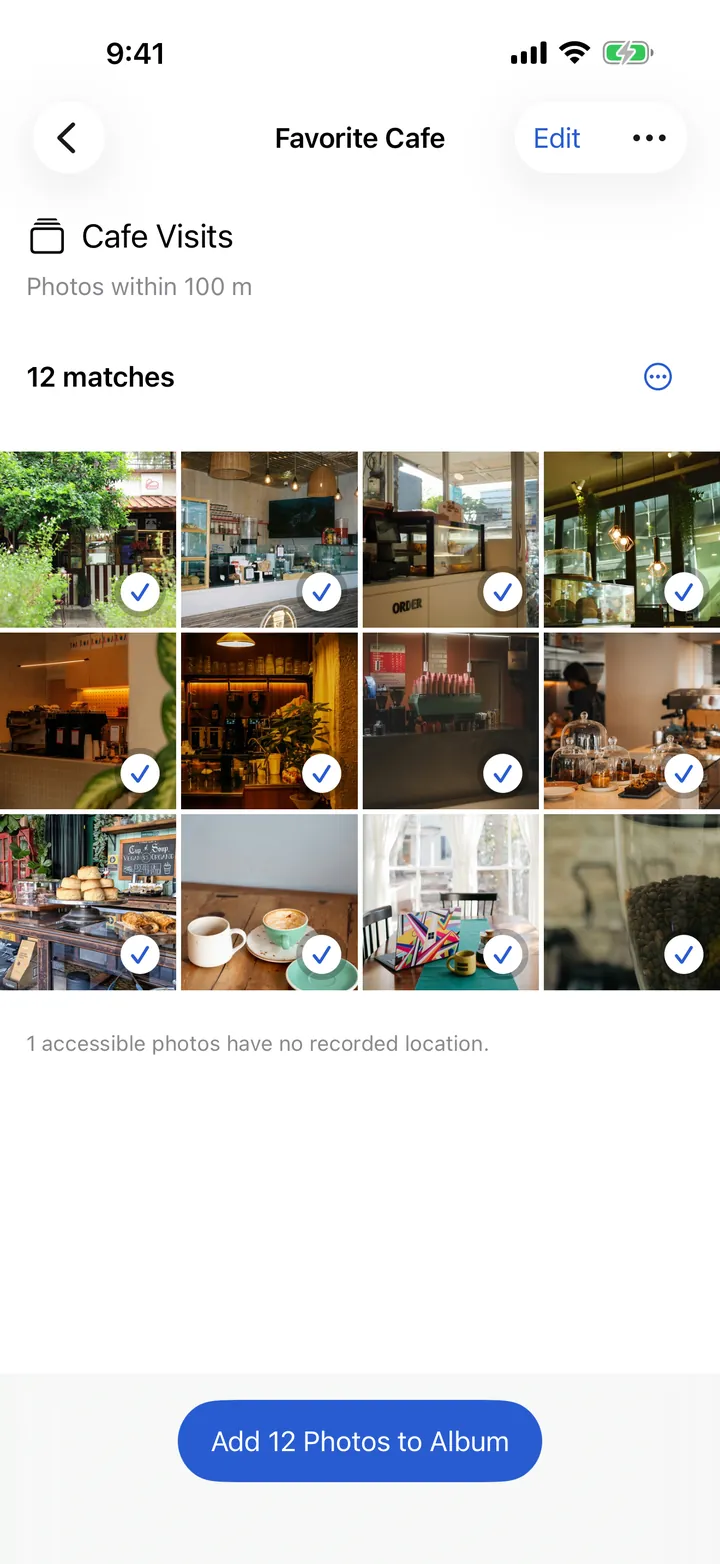
Twelve matching photos for the location rule Favorite Cafe, all checked, with an Add 12 Photos to Album button

How-to guides

Add iPhone Photos From the Same Place to an Existing Album

Use GeoAlbum to find photos from repeated visits and add selected matches to an existing Apple Photos album.

At a glance

GeoAlbum shortens a repetitive job: sorting photos you keep taking at the same shops, worksites, facilities or hobby spots into the same album. Your photos stay in Apple Photos; GeoAlbum only helps add them to the album you choose. Locations are matched against your rules on your device, and photos and their locations are never sent to GeoAlbum's own servers.

Full name
GeoAlbum: Sort Photos by Place
What it does
Save a place and radius, find photos taken there, review them and add the ones you choose to an Apple Photos album
Price
Free with one location rule. GeoAlbum Pro, a one-time $6.99 purchase in the US, adds multiple rules and scanning them together
Requirements
iPhone with iOS 18.0 or later. The App Store also lists Macs with Apple M1 or later (macOS 15.0 or later) and Apple Vision Pro (visionOS 2.0 or later)
Languages
English, Japanese
Supported photos
Photos and Live Photos with a recorded location. Videos, hidden photos and photos without location data are excluded
Privacy
Matching happens on your device. No account, ads or behavioral tracking
Category
Photo & Video, Utilities
Version
1.1.0 (released October 1, 2026)
Developer
Ryo Morishita
Information checked on

What you can do with GeoAlbum

Save a location rule once, reuse it

A location rule is a place, a radius and a destination album. Once it's saved, reuse it whenever you've taken new photos there.

It suits places where photos keep piling up: product photos at the same shop each week, records of a worksite you visit regularly, or a club you go to.
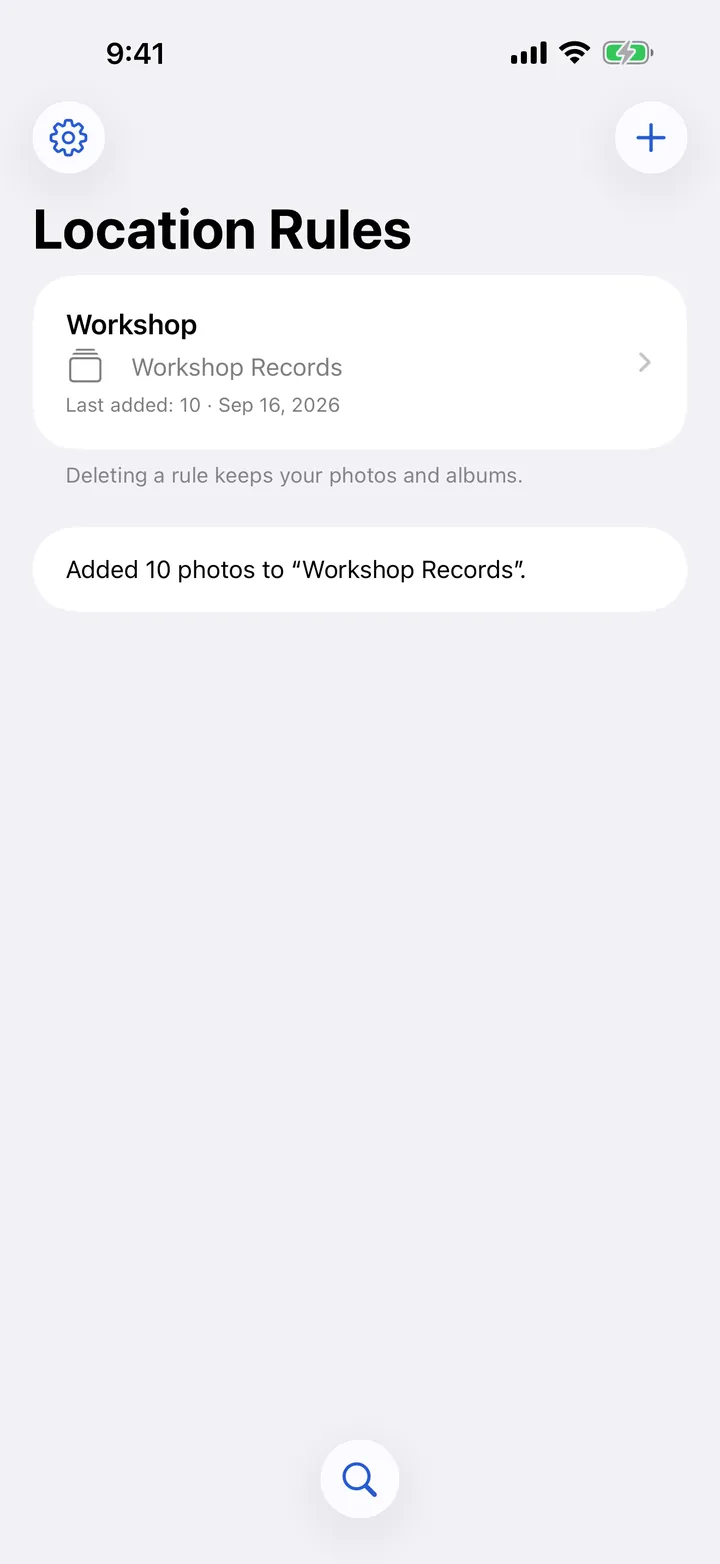
List of location rules showing the Workshop rule, its destination album and when photos were last added

Choose a place on the map, by search, or from a photo

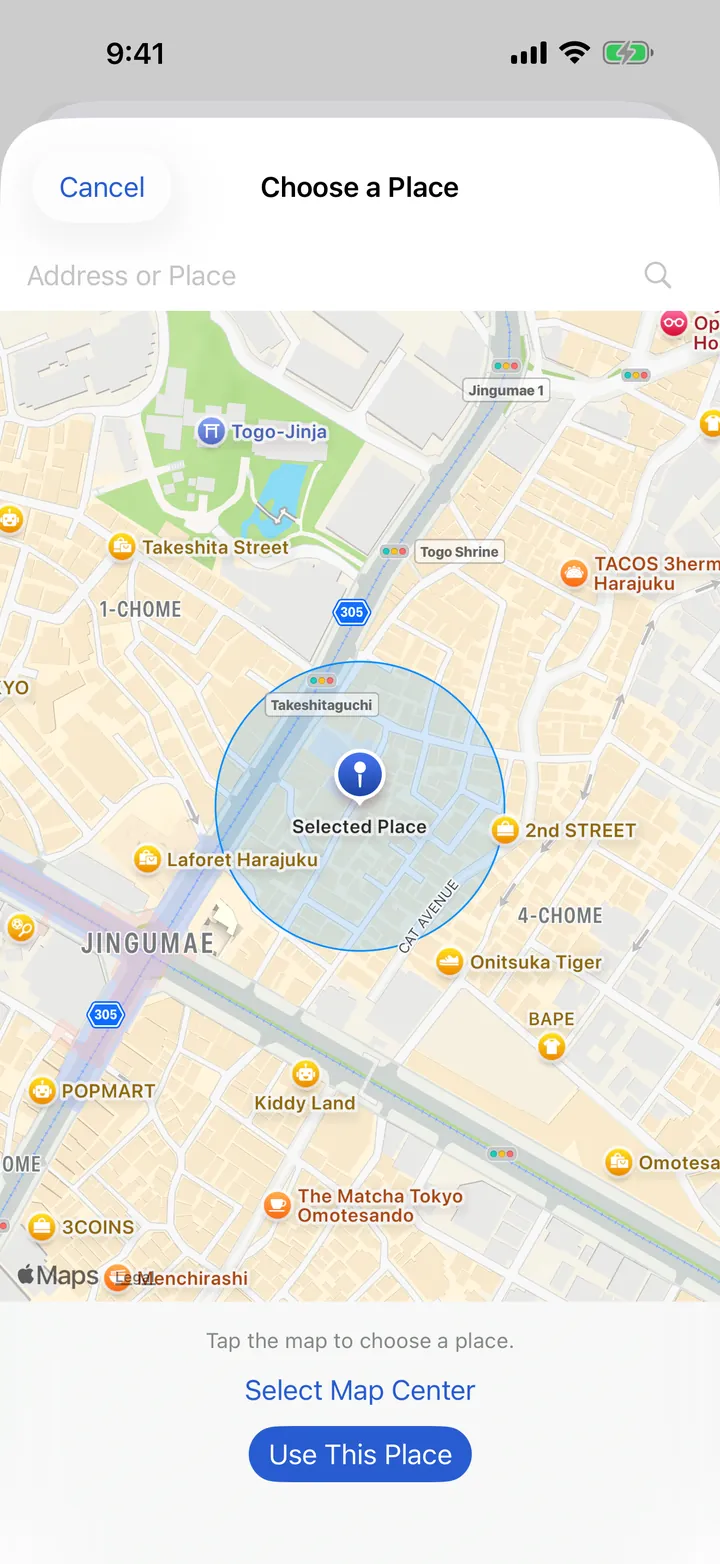
Pick a place on the map, search by address or place name, or use the location recorded in a photo taken there. Tap Use Current Location to start the map near you; location permission is requested only when you tap it, and only to place the first pin.

Map screen for choosing a place, with a circle showing the radius around the pin and a Use This Place button

You review before anything is added

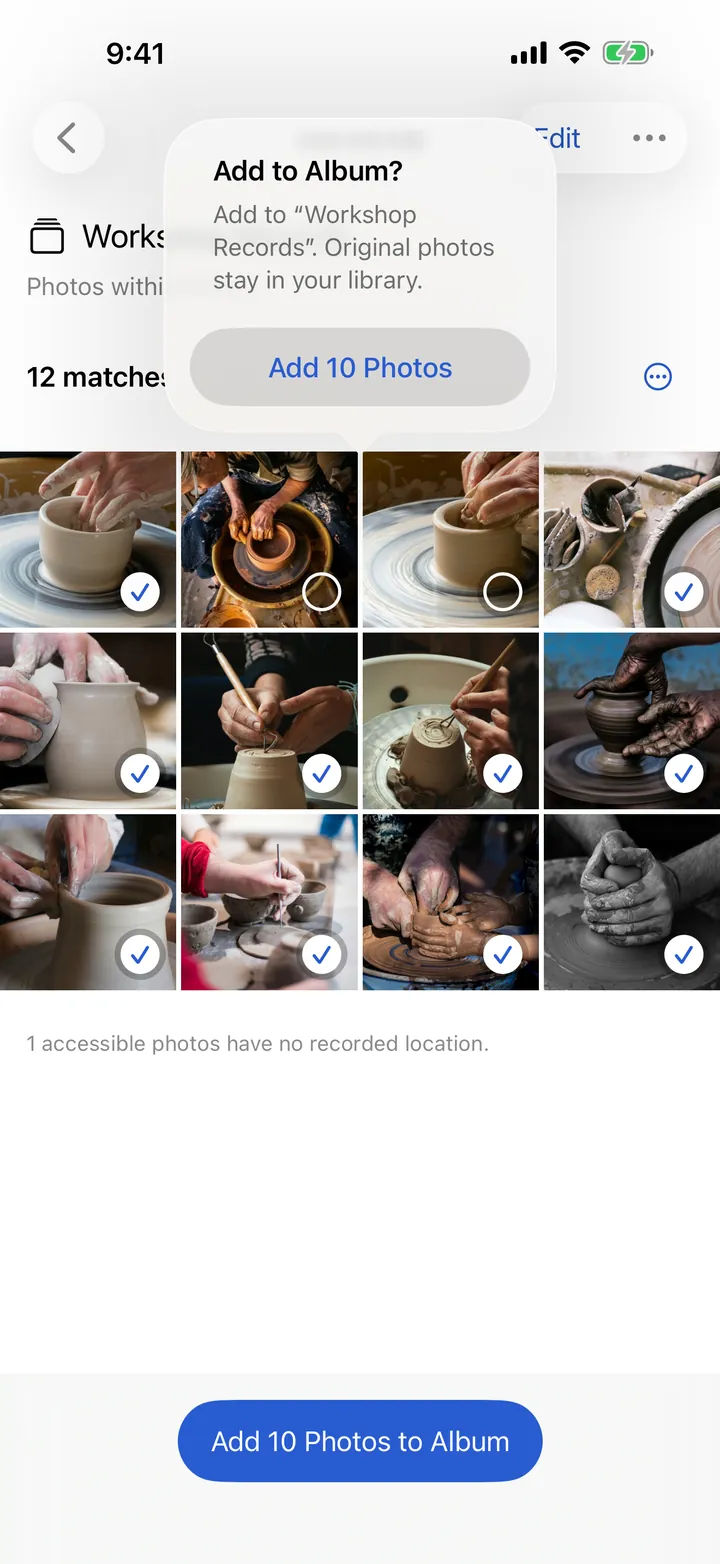
Matches appear as candidates. You choose which ones to keep, then add them to the album in one step. Nothing is added without your confirmation.

Photos already in the destination album are skipped, and changing or deleting a rule leaves your photos and albums untouched.

Matching photos with a confirmation asking Add to Album? and an Add 10 Photos button

Sort several places at once with GeoAlbum Pro

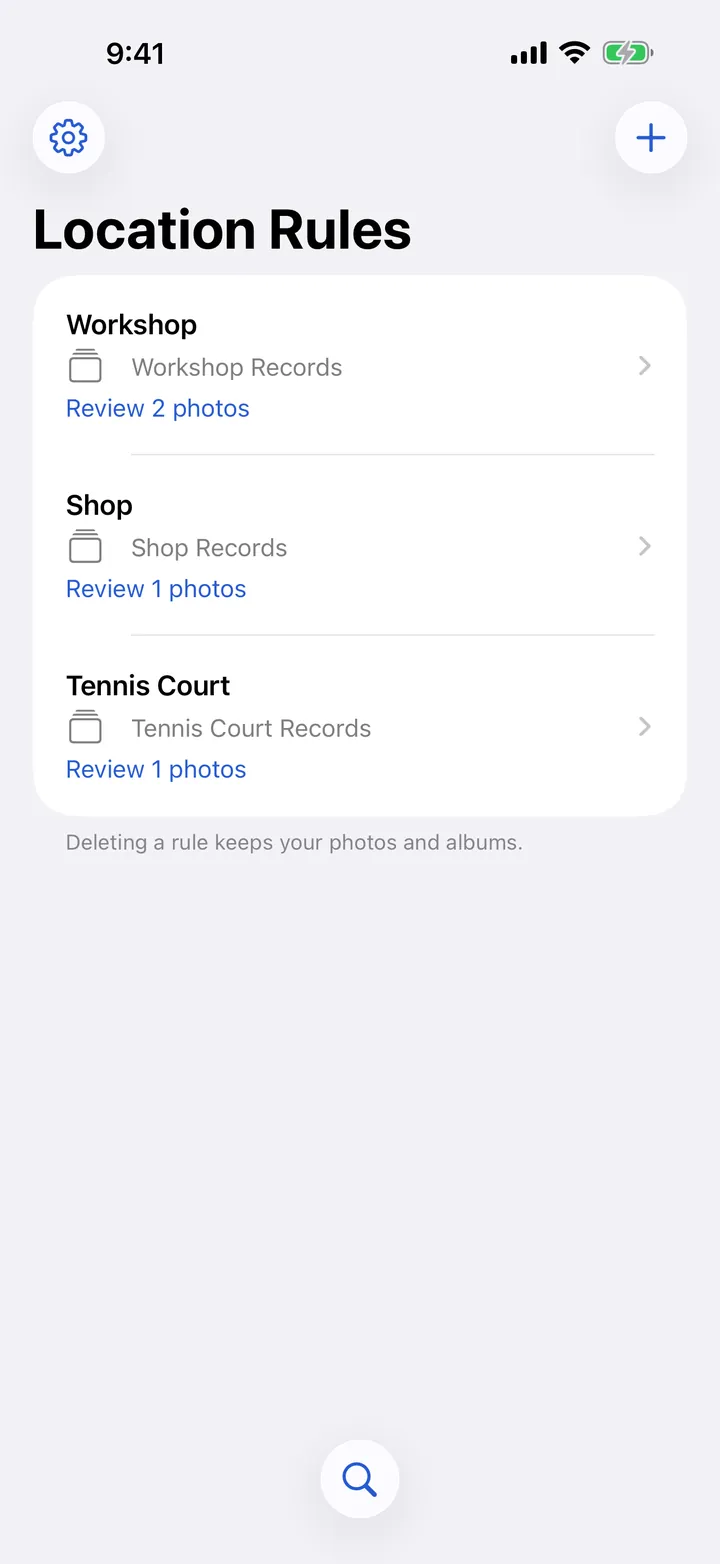
The free version includes one location rule. GeoAlbum Pro, a one-time in-app purchase, unlocks multiple rules and scanning them together. It is not a subscription.

Three location rules, Workshop, Shop and Tennis Court, each showing how many photos are waiting for review

Matching stays on your device

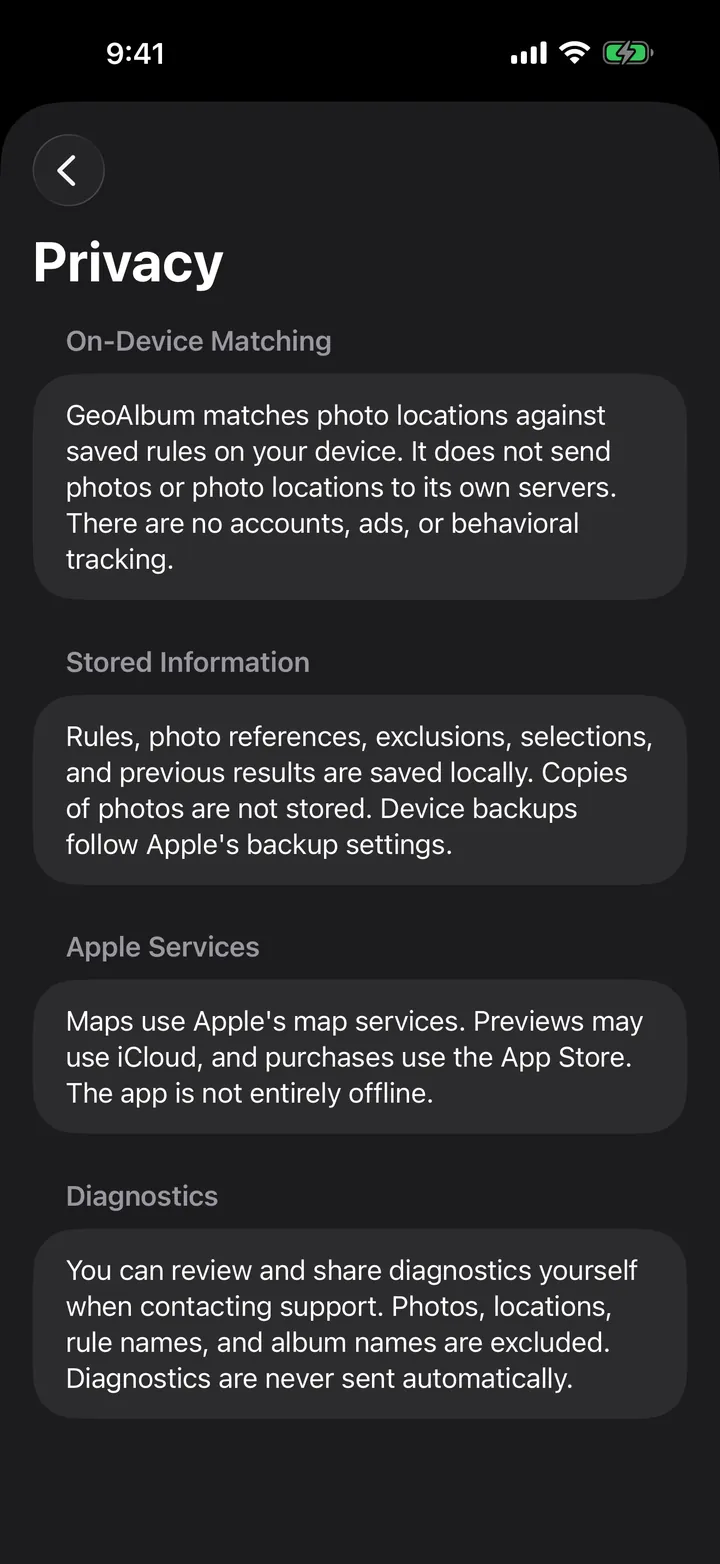
Photo locations are matched against your rules on your device. GeoAlbum doesn't send photos or their locations to its own servers, and there are no accounts, ads or behavioral tracking.

GeoAlbum's privacy screen explaining on-device sorting, stored data, Apple services and diagnostics

How GeoAlbum works

  1. Save a place and radius

    Choose a place on the map, by search, or from a photo's location, and set the radius.

  2. Choose a destination album

    Pick an existing album in Apple Photos or create a new one.

  3. Review the matches and add them

    Check the candidates and add the photos you choose to the album in one go.

Who it's for

  • People who keep taking photos at the same shops, sites or facilities
  • Anyone who sorts those photos into the same album by hand
  • People who want to keep using the iPhone Camera and Apple Photos
  • Anyone who wants to organize photos without uploading them to another service

Limits and notes

  • Photos without a recorded location can't be found, and GeoAlbum doesn't guess where they were taken
  • Videos and hidden photos are excluded
  • It doesn't sort photos by what's in them
  • With Limited Access to Photos, photos you haven't shared with GeoAlbum aren't searched
  • Maps, address and place search, iCloud photo downloads and purchases may need an internet connection

FAQ

What does GeoAlbum do?

GeoAlbum finds photos by where they were taken and adds the ones you confirm to an album in Apple Photos. Save a location rule once and repeat the same sorting whenever you take more photos there.

Is GeoAlbum free?

You can use one location rule for free. Multiple rules and scanning them together come with GeoAlbum Pro, a one-time purchase ($6.99 on the US App Store). Prices vary by country or region.

Does GeoAlbum change my original photos?

No. GeoAlbum never moves, deletes or copies originals. Your photos stay in your Apple Photos library and are simply added to the album you choose.

Are photos added automatically every time I take one?

No. GeoAlbum finds candidates and you decide which photos to add. Nothing is added without your confirmation.

Can it sort photos that have no location data?

No. GeoAlbum relies on the location recorded in each photo and doesn't estimate where other photos were taken.

Does GeoAlbum need an internet connection?

Matching photo locations against your rules happens on your device. Showing maps, searching for addresses or places, downloading photos stored in iCloud, and purchases may need a connection.

Where are my photos and locations sent?

GeoAlbum doesn't send photos or their locations to its own servers. Maps, search and purchases use Apple services. See Privacy for details.

How is this different from searching by place in Apple Photos?

Apple Photos can show photos by place, but adding them to an album means selecting them by hand each time. GeoAlbum saves the place and the destination album as a rule, focusing on making that repeated step quick.

Start with one place

Save a place where you often take photos and try adding them to your usual album.

Download on the App Store

Free with one location rule. GeoAlbum Pro is a one-time $6.99 purchase. Requires iOS 18.0 or later.