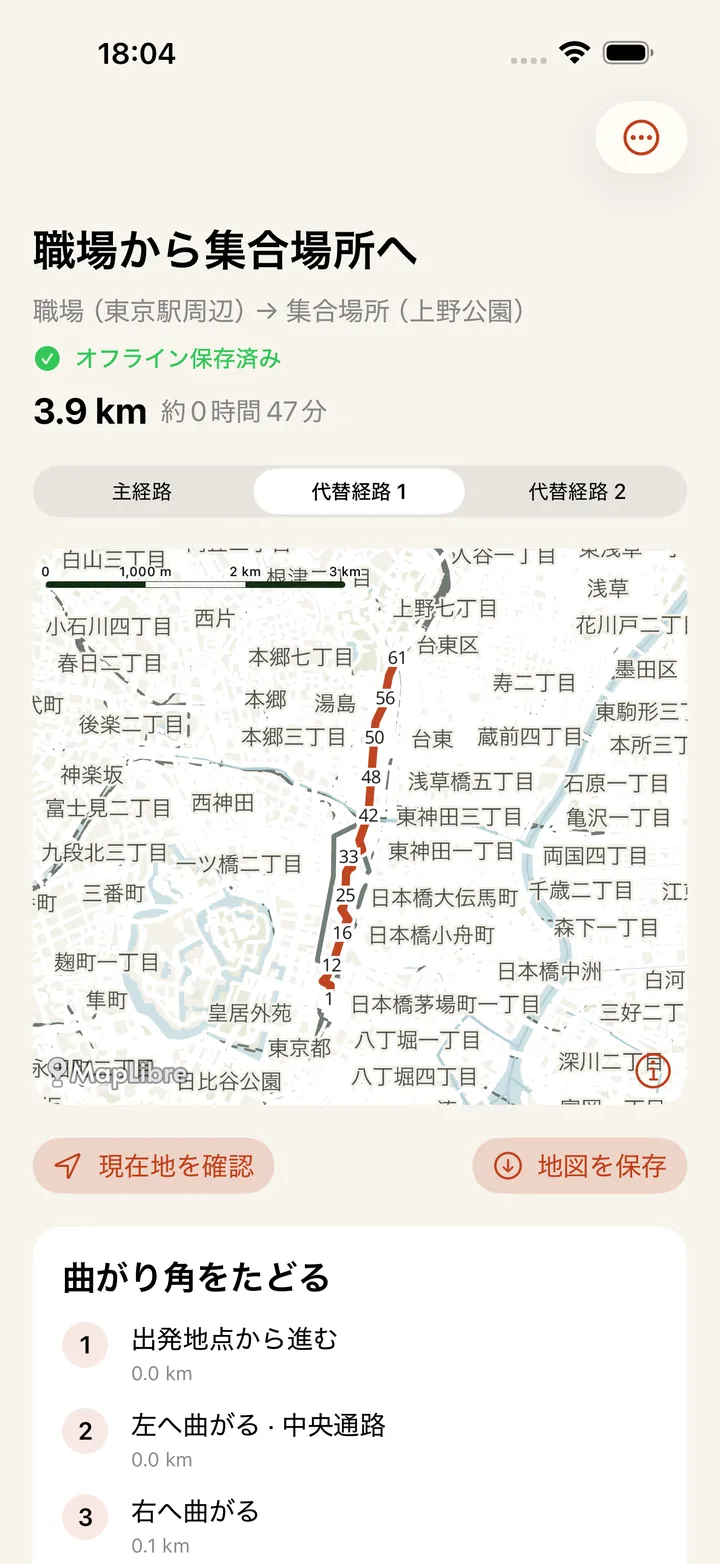
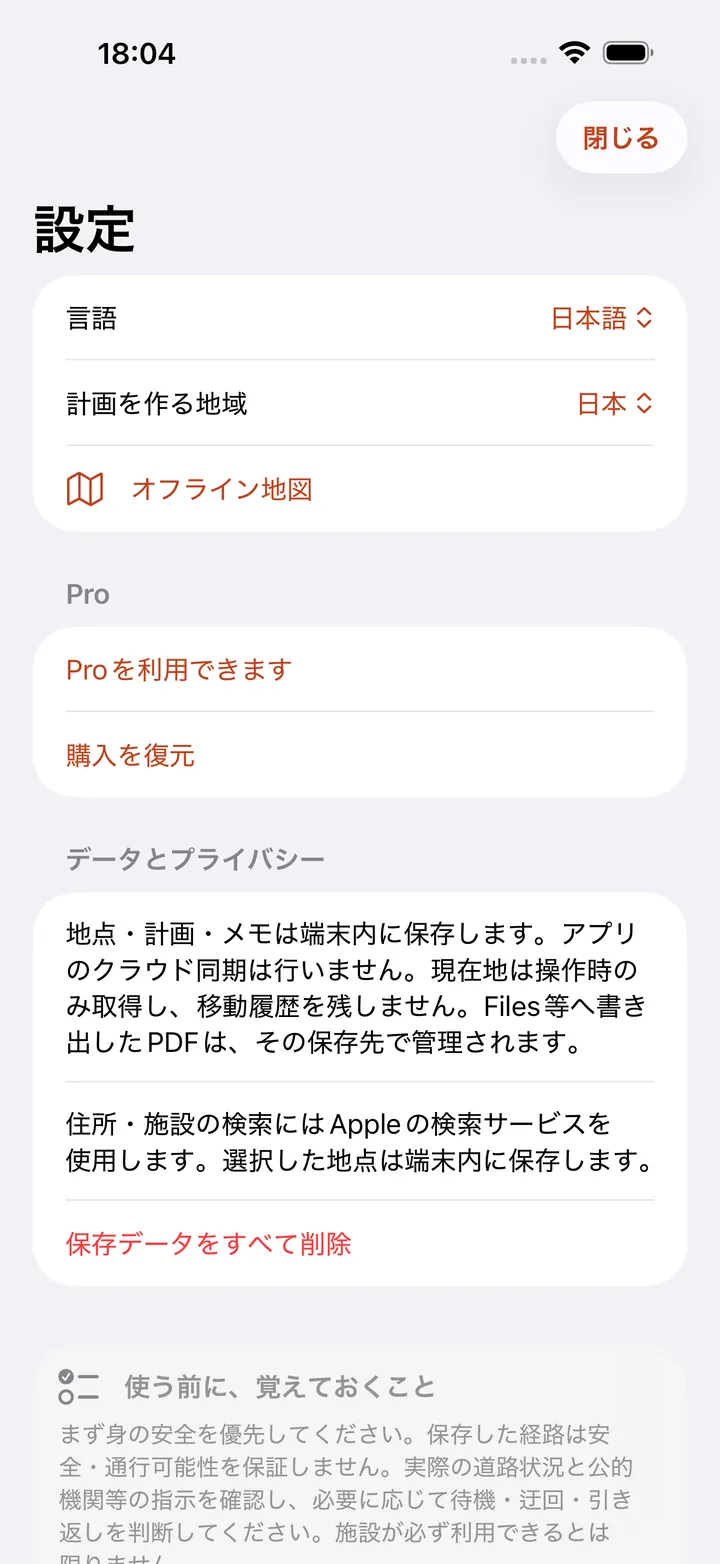
Kaeroute (カエルート) is an iPhone app for preparing a walking route from your workplace or school to home or a family meeting point before a disaster or transit shutdown. Save the maps and route in advance and you can check them even without a connection.
The app's interface is in Japanese and Traditional Chinese. Free with one plan; Kaeroute Pro is a one-time ¥980 purchase on the Japan App Store. Requires iOS 17.0 or later.
Kaeroute is not a disaster navigation app that finds the best route after something happens. It's a preparation tool: look up your way home ahead of time, save it, and keep it available on your phone and on paper for when networks are down or your phone can't be used.
Full name
カエルート - 防災・徒歩帰宅ルート (Traditional Chinese name: Kaeroute 返家路線・防災準備)
What it does
Create walking routes home, add waypoints, check distance, estimated time and turns, save maps and routes for offline use; Pro adds multiple plans, alternative routes and printable A4 PDFs
Price
Free with one plan and its main route and maps. Kaeroute Pro is a one-time ¥980 purchase, not a subscription
App languages
Japanese and Traditional Chinese (no English interface)
Availability
Listed on the App Store in Japan and Taiwan as of November 6, 2026; it was not found on the US App Store
Requirements
iPhone with iOS 17.0 or later
Where data is stored
Places, plans and notes stay on your device. No account, no cloud sync and no continuous location tracking
Kaeroute is for preparing in normal times and referring to saved plans. It doesn't guarantee road conditions, safety or whether a route is passable after a disaster, and it doesn't decide when to start walking home.
Stay safe first, don't start moving right after a disaster without need, and follow information and instructions from authorities, your workplace or school. Decide whether to wait, detour or turn back based on the actual situation.
Plan, save, refer
Plan a walking route home in normal times
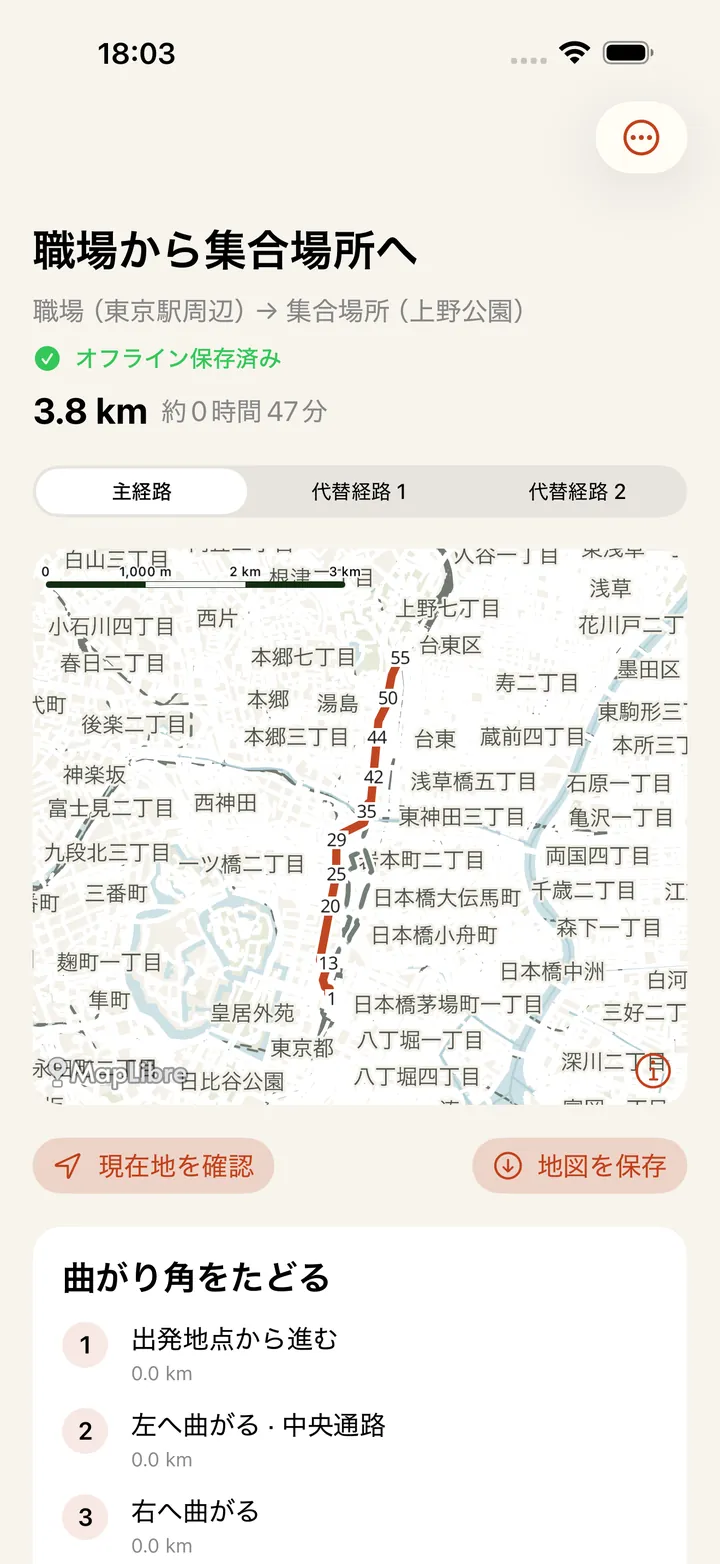
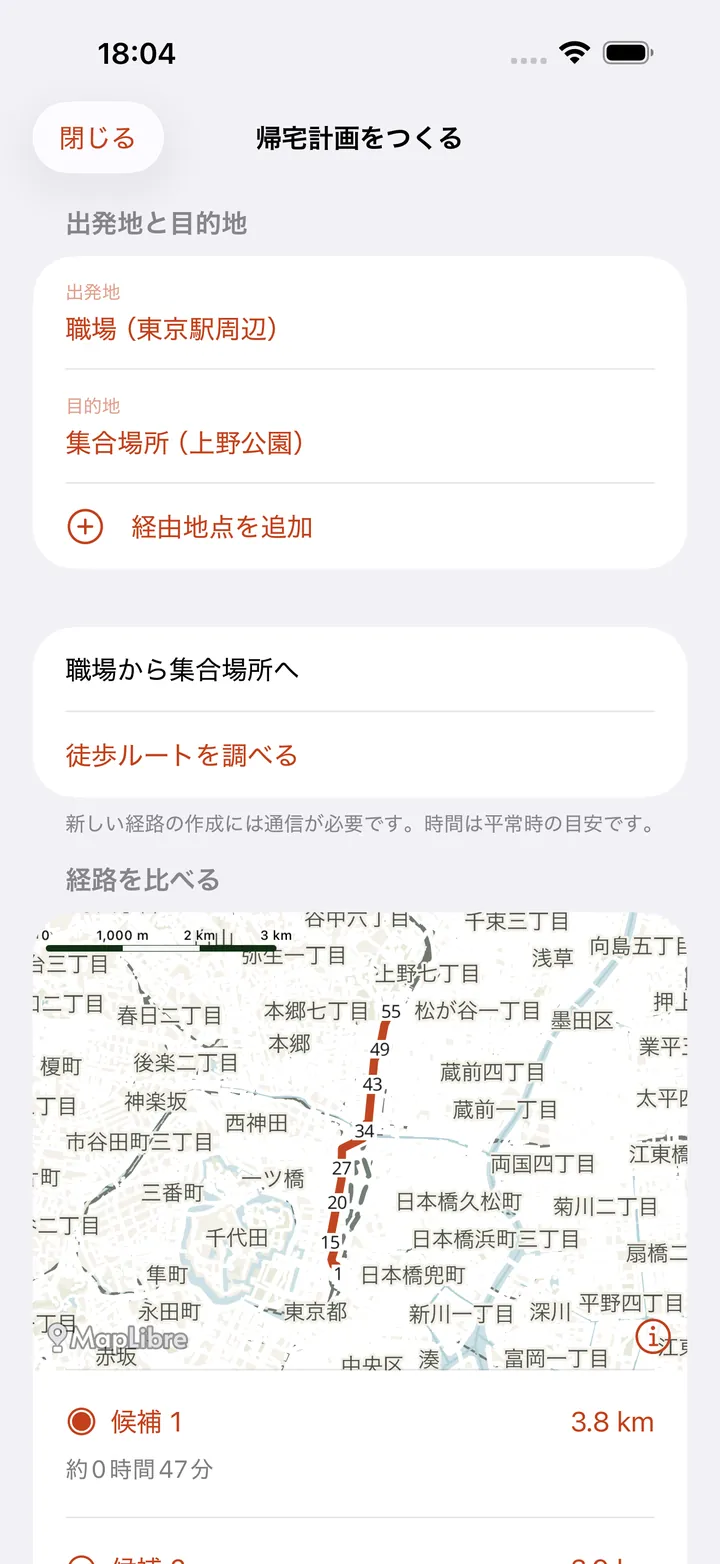
Search for a start and a destination and Kaeroute creates a walking route. Add waypoints for places you want to pass through, then check the distance, estimated walking time and turns.
From work or school to home, or to a meeting point with your family: walk through a long, unfamiliar route once while you have time.
Save it before you lose signal
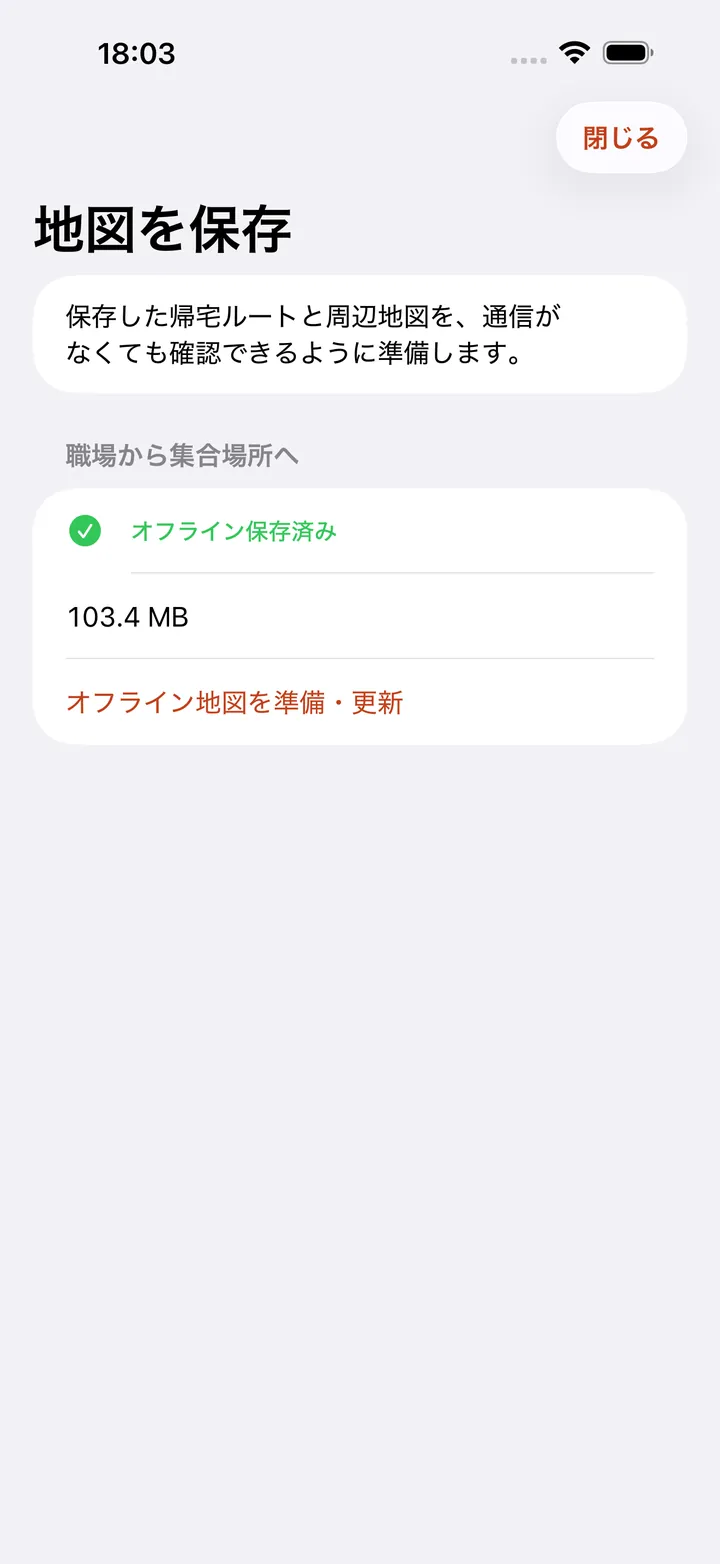
Save the plan, its main route and the maps it needs to your device. The saved status and the date you last checked are shown, so you can confirm you're ready.
Only maps, routes and turns that finished saving are available offline. Searching for places, creating new routes and downloading maps need an internet connection.
Print it on A4 paper with Pro
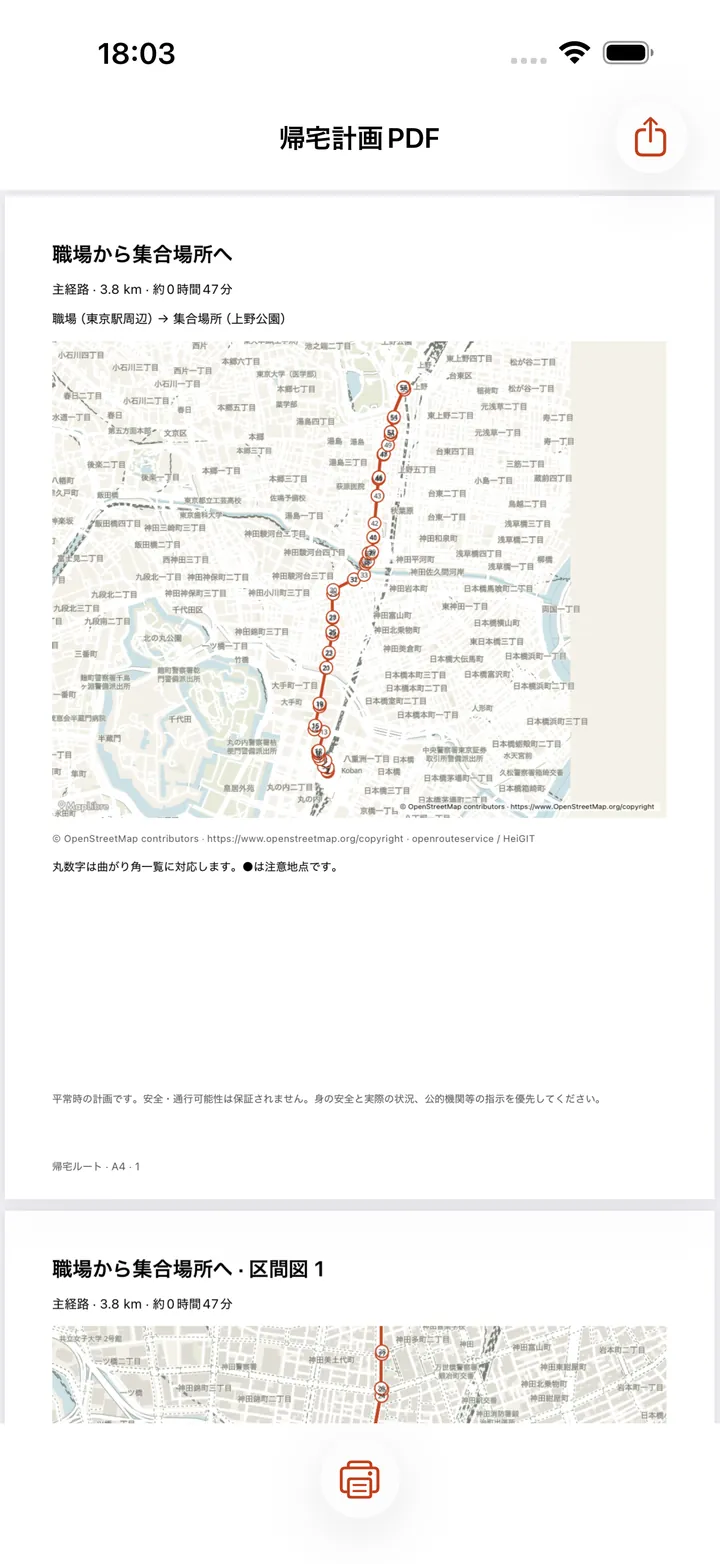
Kaeroute Pro creates an A4 PDF with an overview map, section maps and turns. Share it, save it to Files or print it with an AirPrint printer, so you have a backup if your phone can't be used.
Alternative routes and multiple plans with Pro
With Pro, save up to two alternative routes from the candidates found, in addition to the main route (alternatives aren't always available). You can also keep multiple plans, mark points to watch out for, add notes and get reminders to review your plans.
Pro is a one-time in-app purchase, not a subscription.
Check your location only when you need to
Follow the saved route with the map and the list of turns. Your current location is checked only when you tap the button, and no movement history is kept.
How Kaeroute works
Choose a start and a destination
Search for your workplace or school and your home or meeting point. Add waypoints if you want to pass through specific places.
Check the route and save it
Review distance, time and turns, then save the plan and maps to your device.
Review it from time to time
Check the saved status and last-checked date. With Pro, get review reminders and print a PDF.
Screens from the app
The app has no English interface, so these screens are shown in Japanese.
Who it's for
Commuters and students in Japan who rely on trains or buses and don't know the way home on foot
Families who want to check the way to a meeting point in advance
Anyone who wants a backup for when networks are down or a phone can't be used
People with more than one workplace or school (multiple plans need Pro)
Limits and notes
It doesn't guarantee road conditions after a disaster, or that a route is safe or passable
It doesn't decide when you should start walking home
Only information that finished saving beforehand is available offline
Maps and routes work in supported areas with available data; maps may not finish saving outside them
The interface is in Japanese and Traditional Chinese only
FAQ
What is Kaeroute?
Kaeroute is an iPhone app for preparing, in normal times, a walking route from work or school to home or a meeting point, and saving it on your device with the maps it needs. Saved information can be viewed without a connection, and with Pro you can print it.
Is Kaeroute available in English?
No. The app's interface is in Japanese and Traditional Chinese. As of November 6, 2026, it is listed on the App Store in Japan and Taiwan, and it was not found on the US App Store.
Will it guide me along a safe route during a disaster?
No. Kaeroute is for preparing in advance and referring to saved plans. It doesn't assess road conditions or safety after a disaster or give real-time guidance. Stay safe first and follow information and instructions from authorities, your workplace or school.
Does it work without a signal?
Maps, routes and turns that finished saving beforehand can be viewed offline. Searching for places, creating new routes and downloading maps need an internet connection, so save them ahead of time.
Is Kaeroute free?
One plan with its main route and maps, and viewing saved information, are free. PDF export and printing, alternative routes, multiple plans and notes require Kaeroute Pro, a one-time ¥980 purchase on the Japan App Store. It is not a subscription.
Where are my home and workplace stored?
Places, plans and notes are stored on your device. No account is needed, and there is no cloud sync or continuous location tracking. When you search for places or create routes, the search text and the coordinates of the start, destination and waypoints are sent to external map and routing services. See Privacy for details.
Don't search on the spot. Have your way home ready.
While you have time today, save one route home from a place you go every day.
The app's interface is in Japanese and Traditional Chinese. Free with one plan; Kaeroute Pro is a one-time ¥980 purchase on the Japan App Store. Requires iOS 17.0 or later.