
Block Social Apps While Studying and Reblock Them After Breaks
Study Focus – Social Blocker is an iPhone study timer that blocks the social apps you select while you study and unblocks them on breaks. It automatically blocks those apps again when the break ends. Start the next focus timer yourself.
Ryo Morishita (app developer) · Published
Screenshots illustrate the steps. Check the App Store for current availability and pricing.
Study for 25 minutes and take a five-minute break
Choose which apps to block and set your study and break lengths. Selected apps are blocked during the study period, available on the break, and blocked again when it ends.
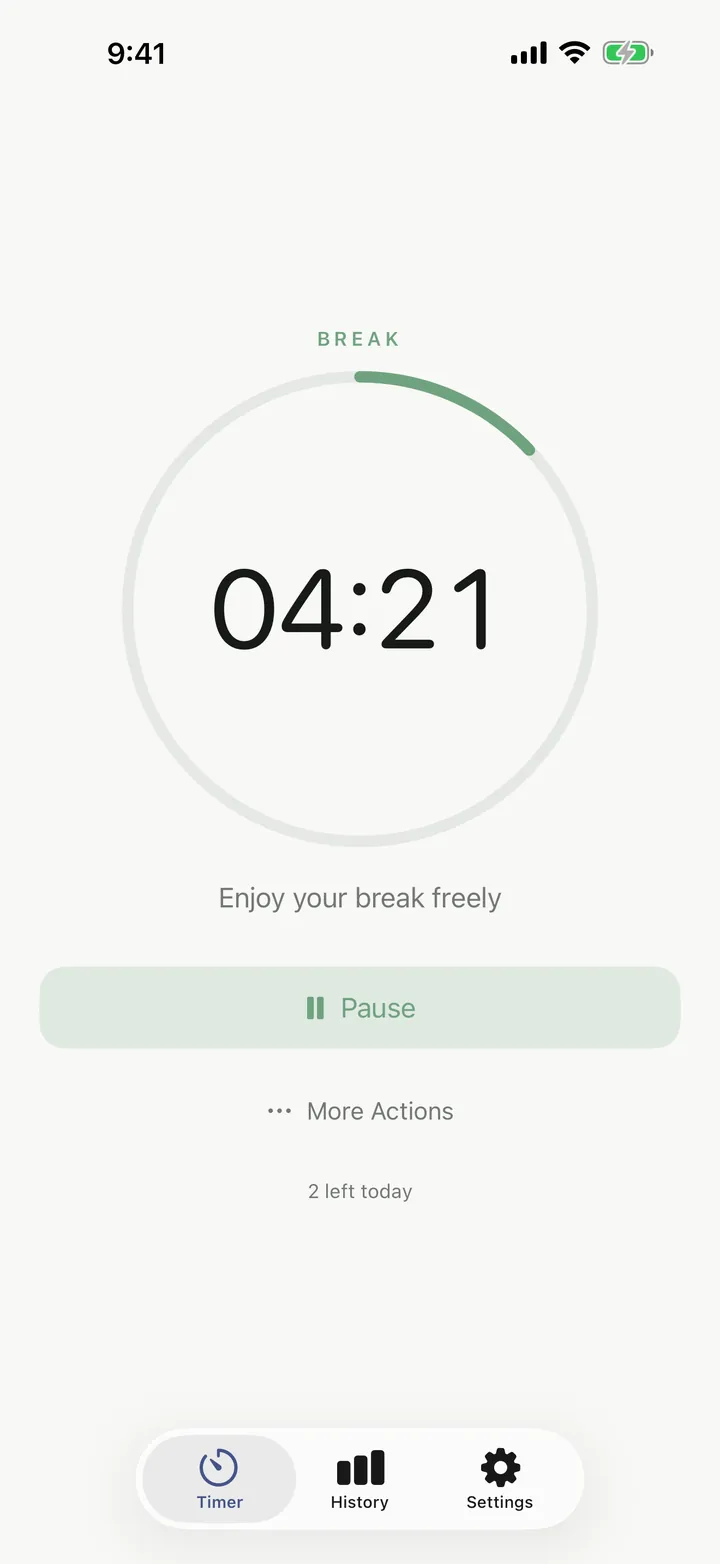
Before you start
Allow Study Focus to use Screen Time before picking apps to block. iOS Focus can silence notifications when that is all you need.
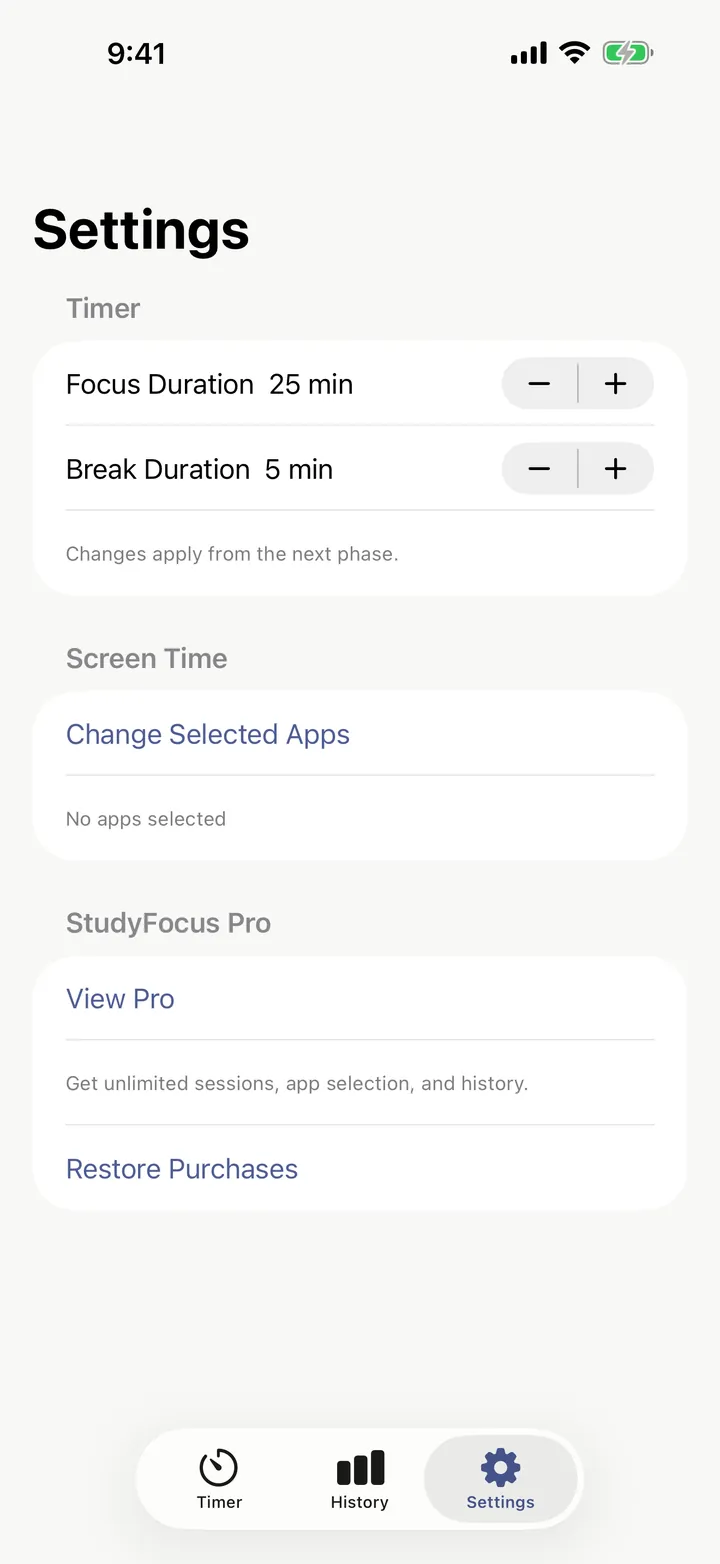
1. Set your timers and select apps
Choose your focus and break lengths, then select the social apps you want to restrict. The free plan lets you choose up to three individual apps.
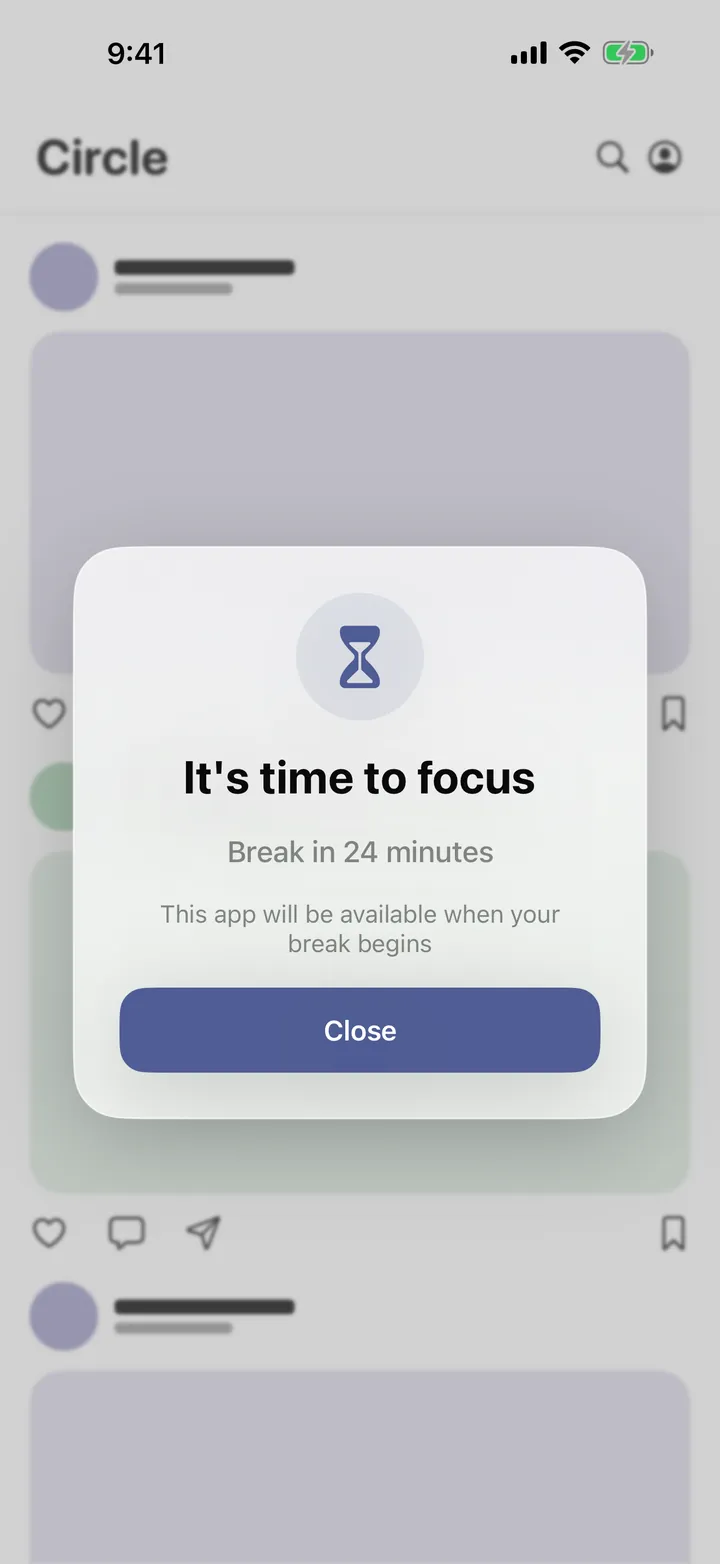
2. Start a study session
The selected apps are blocked while the focus timer runs.
3. Take a break and check the block
Use the selected apps during the break. At the end of the break, they are blocked again. Tap to start the next focus session.
What happens to the same app at each timer stage?
For a 25-minute study session and a five-minute break, choose one social app after granting Screen Time access. Open that same app during each stage to check the result. The guide images show example screens from the app.
| Stage | Expected result with Study Focus – Social Blocker |
|---|---|
| Study timer is running | Opening the selected social app shows a Screen Time block. |
| Five-minute break is running | The selected app becomes available automatically. |
| The break ends | The selected app is blocked again. Tap Start Next Focus to begin another timer. |
| Built-in iPhone Focus | Use Focus to change which notifications come through. Study Focus ties access to selected apps to the study and break timer. |
Limits and notes
Reboots, time changes, or loss of Screen Time permission can interfere with blocking. Check the behavior on your device before relying on it.
What you can try for free
The free plan includes up to five focus sessions per day, three individual apps, and seven days of history. Pro is a subscription and adds controls for categories and websites.
Free with limits. Pro is a $2.99/month auto-renewing subscription in the US. Requires iOS 17.0 or later.
See features, pricing, and frequently asked questions · Privacy · Support